
The Mac backup you don't have to remember to run
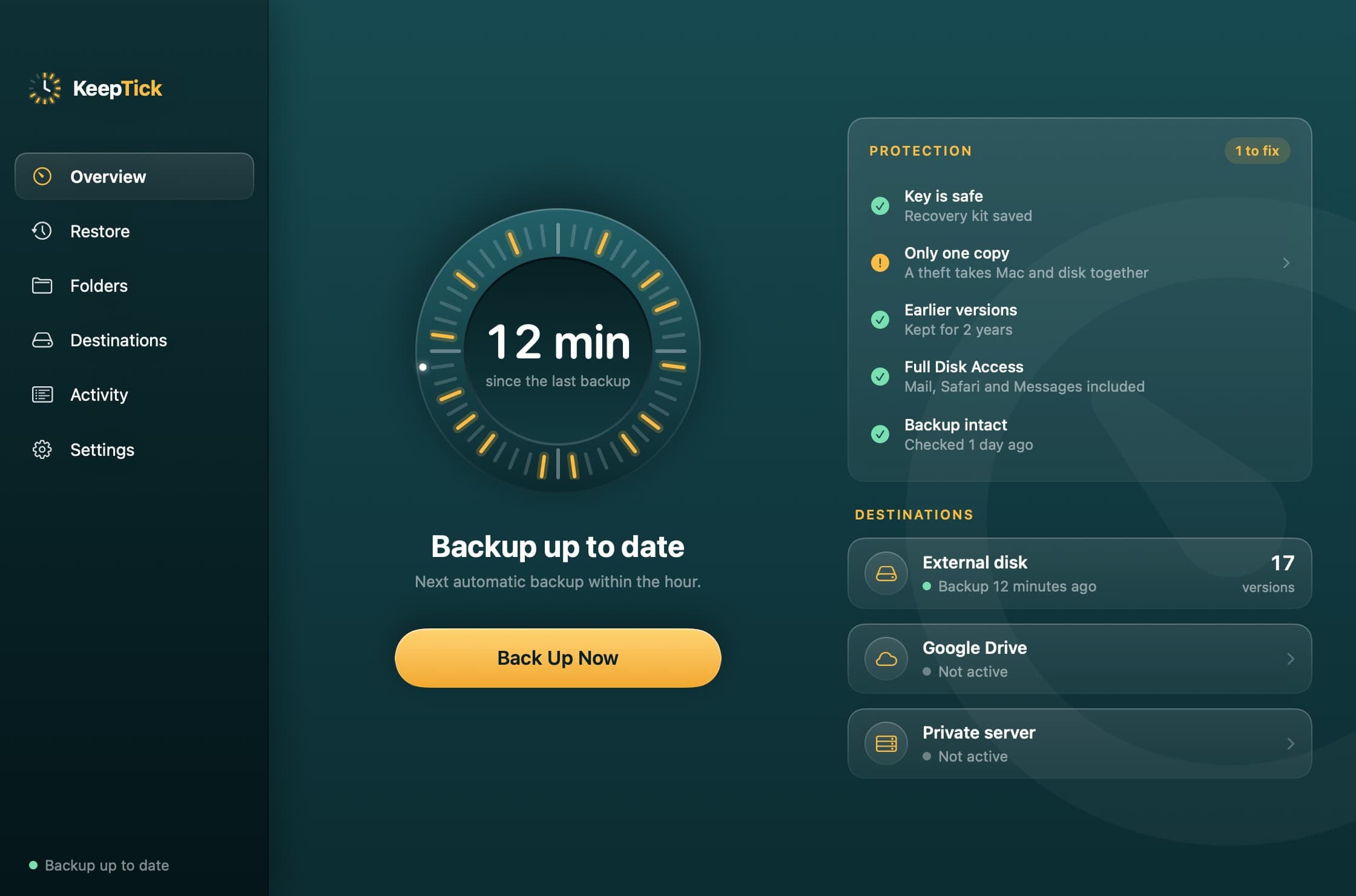
KeepTick backs up your Mac on its own, every hour, to an external disk, Google Drive or your own server. Everything is encrypted, with every version of your files a click away.
For macOS 14 or later. Made in Italy.
Three moments when it saves your day
You saved over the wrong file.
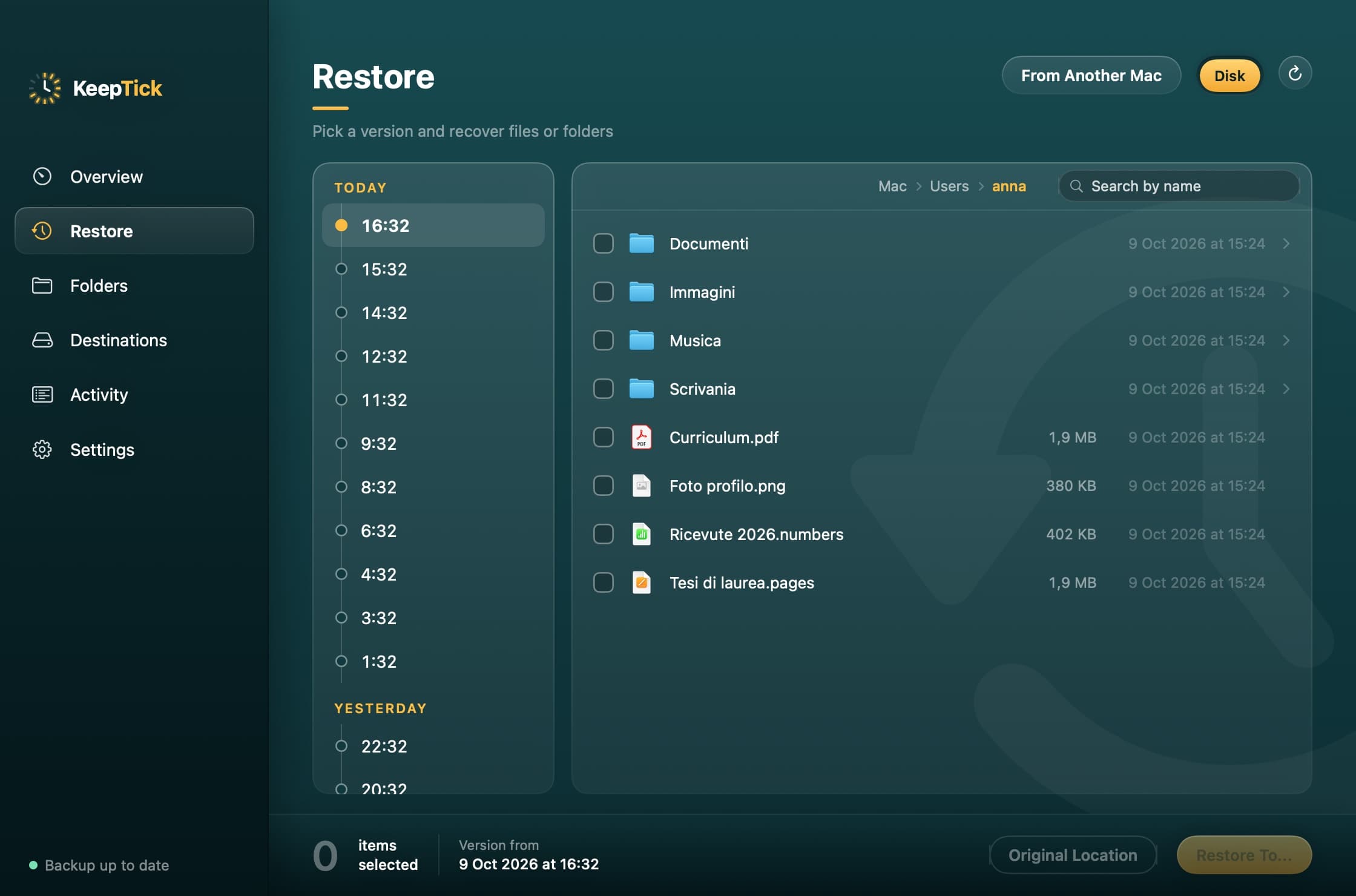
Open Restore, go back an hour and take the right version. The others stay where they are.
Your Mac stayed on the train.
Install KeepTick on the new one, enter the key from the recovery kit and your files come back from the disk, Drive or server.
The external disk stopped responding.
KeepTick alerts you that a backup was skipped and, if you have a second destination, keeps saving there.
Features
Everything a backup you can trust needs
- Encrypted before leaving the Mac
- Files are encrypted on your Mac with a key only you hold. Whoever finds the disk or gets into your cloud account reads nothing.
- Every version, not just the latest
- One version an hour for a day, one a day for a month, then one a week for as long as you choose, up to forever.
- It runs on its own
- Backups start every hour even with the app closed, without slowing your work. If you like, only when the Mac is plugged in.
- It checks itself
- Every week it verifies that your backups are intact, alerts you when a backup is skipped and estimates how long the space will last.
- Protection at a glance
- The Overview says in plain words what is fine and what is worth fixing, with the remedy one click away.
- Ready for your next Mac
- With the recovery kit you open your backups from another Mac and get your files back, even if the old one is gone.
Destinations
Three places to save to, even together
Every copy is independent: if one destination is unreachable, the others still run.
External disk
The fastest restore, even offline.
Google Drive
A copy away from home. The app sees only the files it creates.
Private server
Your NAS or your own storage, over SFTP, WebDAV, S3 or SMB.
Restore
Go back to the moment you need
Overwrote a document or deleted a folder? Pick a moment on the timeline and take back only what you need.
- Browse folders as they were at that moment
- Search for a file by name inside a version
- Preview before you recover
How it works
Three steps, then it runs itself
- 1
Choose where to save
Plug in a disk, sign in to Google Drive or enter your server details.
- 2
Put the key somewhere safe
Save or print the recovery kit: it is the only way to open your backups again.
- 3
Forget about it
Backups start on their own. The Overview tells you whether all is well.
Security
Only you can read your backups
Encryption happens on your Mac, before a single file leaves. Without the key the backups are unreadable to anyone, us included: that is why the app has you put the recovery kit somewhere safe before the first backup.
- The key stays in the Mac's Keychain and is shown only with Touch ID or your password.
- On Google Drive the app sees only the files it creates, not the rest of your storage.
- Service credentials are stored encrypted, never in plain text.
- An SFTP server that presents a different identity from the known one is refused.
Pricing
Try it free, then choose how to pay
A 14-day trial with every feature, no card needed. After the trial backups stop, but the files you already saved stay recoverable forever.
Yearly
€9.90per year
€0.83 a month · VAT included
Renews every year. Cancel whenever you like from your account.
- Every feature
- License valid on 1 Macs
- Updates included
- Invoice with your details
Forever
€24.90one time
Costs the same as 2.5 years of subscription · VAT included
Pay once and the license never expires.
- Every feature
- License valid on 1 Macs
- Updates included
- Invoice with your details
14 days free
Every feature, no credit card.
Cancel anytime
From your account, no questions asked.
Your backups stay yours
Even without a license you can always restore them.
FAQ
Before you ask
What happens if I lose the encryption key?+
The backups can no longer be opened, by anyone. That is why KeepTick has you save or print the recovery kit before the first backup, and warns you if you leave it on the Mac or next to the backups.
Can I use several destinations together?+
Yes. External disk, Google Drive and private server can all be on: each backup is independent of the others.
Does it slow down my Mac?+
Automatic backups run at low priority and copy only what changed since last time. You can also have them start only when the Mac is plugged in.
What if I change Mac or it gets stolen?+
Install KeepTick on the new Mac, say where the backup is, enter the key from the recovery kit and get your files back.
The next lost file could be the last
Set it up once, then stop thinking about it.